


Animate One Picture
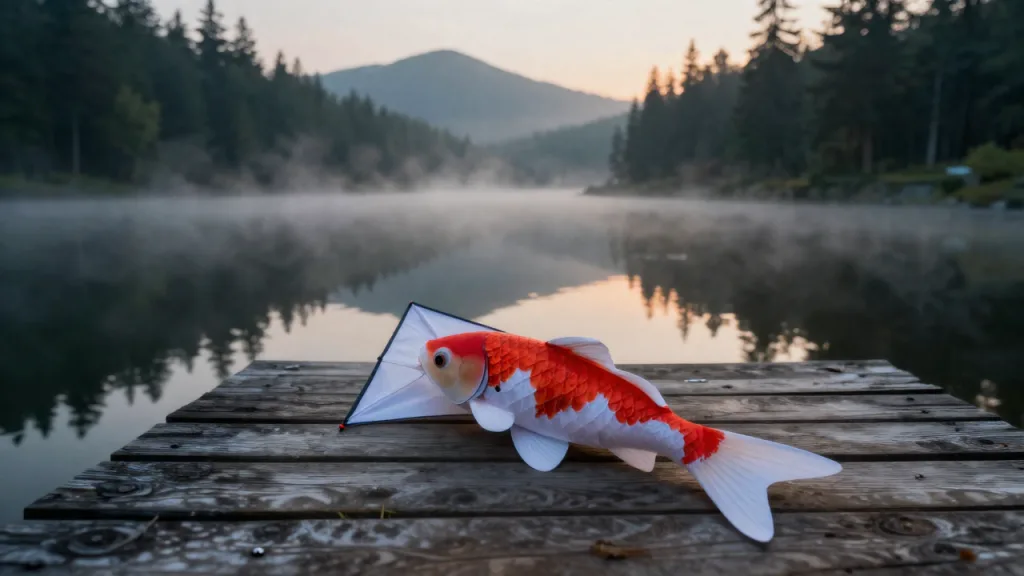
Your picture is the first frame and sets the clip's shape. Say what moves, where the camera goes and what it sounds like; the paper koi here lifted off the pier in about a minute.
Input
Result
Write a scene, or start from one picture, up to nine references, a 3x3 storyboard or a clip to extend. HappyHorse 1.1 returns 3 to 15 seconds at up to 1080p with dialogue, effects and ambience already on the track.
Prompts asking for nudity, sexual content or the likeness of a real person are declined. Terms of Service
Ten HappyHorse 1.1 clips: four rendered by HappyHorseAI, six from the CC0 examples Alibaba Cloud Model Studio publishes for the model (theirs carry Alibaba's watermark). Pick one to load its prompt, pictures and settings into the generator.
Six clips and their input pictures are from Alibaba Cloud Model Studio, awesome-happyhorse-prompts (CC0 1.0). Rights holder and want something removed? Write to support@happyhorse-ai.xyz.
Six ways in
What you attach decides the route: nothing for text to video, one picture to open the clip, references for a new scene, a video to extend. Each panel shows the real input beside the real result.
Your picture is the first frame and sets the clip's shape. Say what moves, where the camera goes and what it sounds like; the paper koi here lifted off the pier in about a minute.
Input
Result
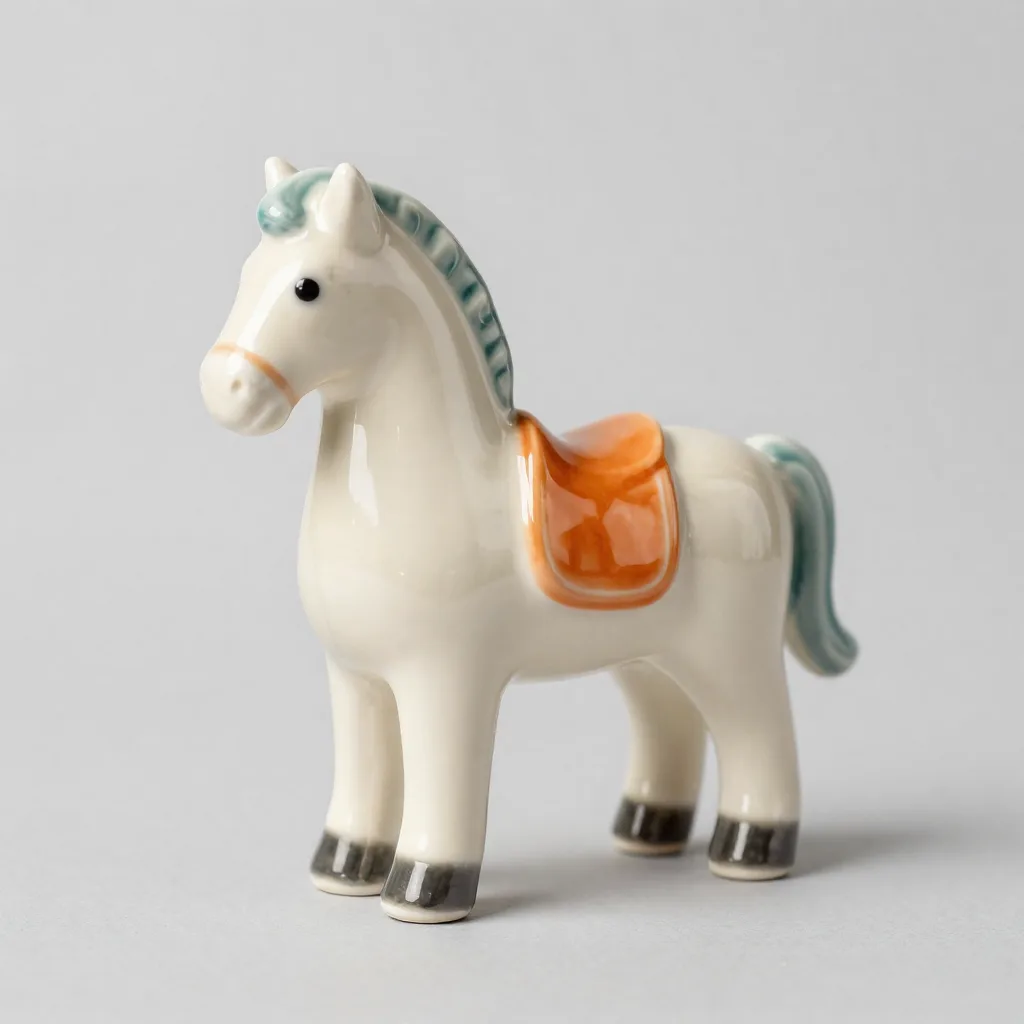
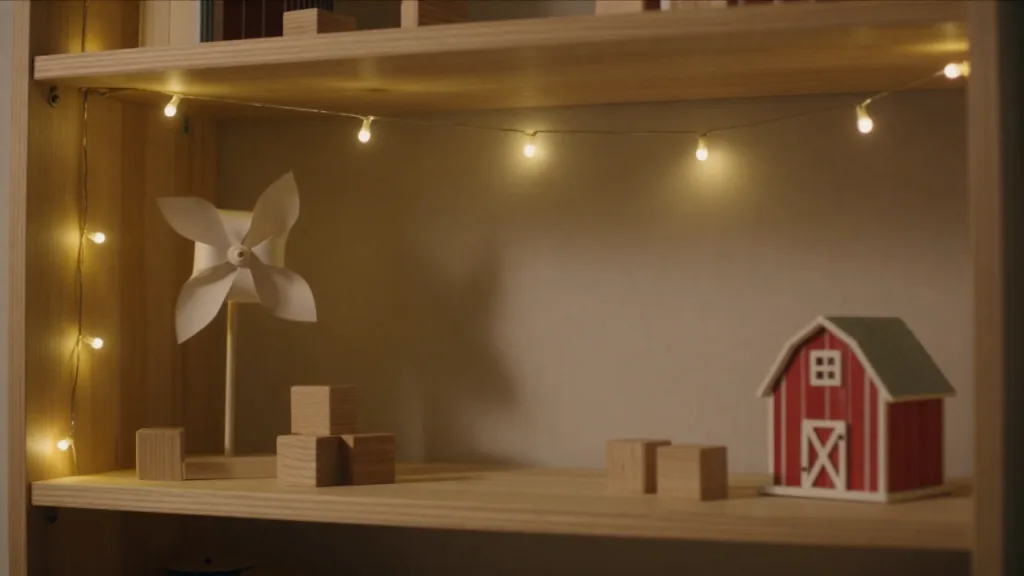
Upload up to nine pictures: a character, a product, a set. Refer to them as [Image 1], [Image 2]. The ceramic horse kept its glaze and saddle on a shelf it had never stood on. References are free.
Input
Result
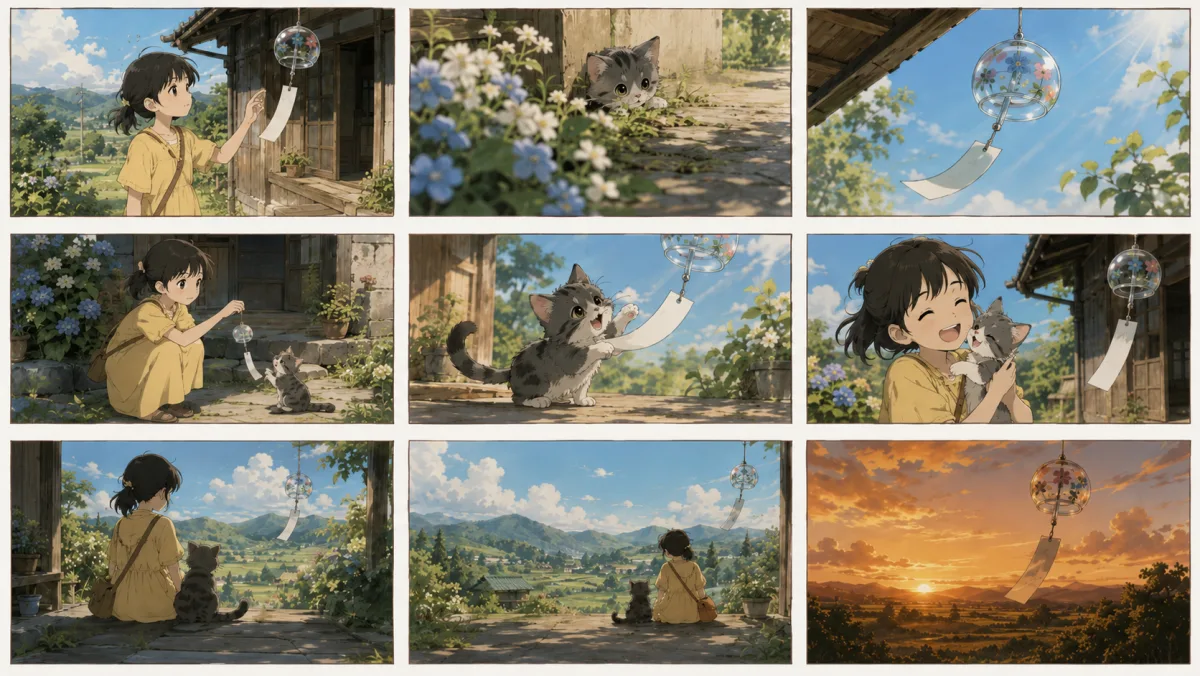
Upload one storyboard sheet, choose Use as reference and list the nine panels in reading order. HappyHorse 1.1 shoots them as nine shots with transitions, keeping the girl and the cat the same throughout.
Input
Result
Attach a clip and write what happens next. HappyHorse 1.1 continues from its last frame for 3 to 15 seconds and you pay only for the added seconds: here 8 seconds at 480p, 112 credits.
Input
Result
Timestamp each beat, [00:00-00:03] and so on, with camera and sound for each. The bridge chase is five shots, one prompt and one 15-second render, cuts included.
Input
Result
Quote the dialogue and name the speaker. HappyHorse 1.1 voices the lines, syncs the lips and adds the room tone; this classroom scene is whispered in Japanese.
Input
Result
What it is for
Every clip below was made by HappyHorse 1.1 from the prompt behind its button. Load it, change the subject, run your own take.
Draw nine panels, or generate them, and upload the sheet as one reference. HappyHorse 1.1 plays them in order as nine shots with cuts, dialogue and rain on the window. A whole scene from a single prompt is how short-drama and ad teams pitch before they shoot.
Spins, leaps and spray off the blades: HappyHorse 1.1 keeps a moving body in one piece through fast action, which is where older video models smear. Describe the move and the light; ten seconds at 720p is 280 credits.
Hand it a painting, a poster or a concept frame as the opening image and write what happens next. The ink-wash style holds for all fifteen seconds of this duel, with blades and wind on the track.
Subject, action, camera and sound, in a line or a shot list. Attach an opening picture, references, a storyboard sheet or a clip to continue if you have one.
Any whole length from 3 to 15 seconds, 480p to try an idea or 1080p for the keeper, nine frame shapes from 21:9 to 9:21. The button shows the credits before you press it.
The clip lands in your library with its sound, usually in one to two minutes. Change a line and run another take, or extend the one you like.
Why this one
What the model does well, and what this site adds so the cost is never a surprise.
14 credits a second at 480p, 28 at 720p, 36 at 1080p, for any whole length from 3 to 15 seconds. References are free and extensions pay only for the seconds they add.
Hooves, rain, a piano, two students whispering in Japanese: HappyHorse 1.1 writes the soundtrack and the lip movements with the picture. Every clip on this page has a track; press the speaker.
Write timestamps or numbered beats and HappyHorse 1.1 cuts between them inside one clip, up to six to eight shots by Alibaba's count. The chase on this page is one prompt and one render.
The server prices the job before it starts. If the model errors or declines a prompt, the credits go straight back to your balance.
Clips are paid in credits. Take a pack for one project, or a plan if you make video every week.
Lite
For a handful of scenes a week.
~$0.010 per credit
About $1.44 a clip
Included
Pro
For anyone posting new video every week.
~$0.008 per credit
About $1.16 a clip
Lite features, plus
Ultra
For teams cutting ads and short drama most days.
~$0.007 per credit
About $0.97 a clip
Pro features, plus
Prices already include tax wherever tax applies.
FAQ
Sign in, describe the scene and press the button. What you attach picks the route: nothing goes to text to video, one picture opens the clip (or serves as a reference if you say so), two to nine pictures are references, and a video gets extended. You can write several shots in one prompt with timestamps such as [00:00-00:04]. Finished clips land in your library.
A video model from Alibaba that renders picture and sound together, 3 to 15 seconds at 480p, 720p or 1080p. According to Alibaba Cloud Model Studio, 1.1 improves on 1.0 in motion, character consistency across references, long multi-shot instructions, skin detail and audio. HappyHorseAI calls it through WaveSpeed.
Both are in the model menu. HappyHorse 1.1 is the one for finished scenes: 1080p, multi-shot prompts, dialogue, up to 9 references and video extend, from 14 credits a second. MiniMax H3 Lite is cheaper (5 to 8 credits a second), stops at 768p, and is the one that takes a first and a last frame. Our HappyHorse test clips took 63 to 118 seconds each.
One to nine. Call them [Image 1], [Image 2] and so on in upload order. A single picture can be a reference too: pick Use as reference instead of Opening frame. That is how a 3x3 storyboard sheet becomes nine shots. References add nothing to the price.
Not for video. A new account gets 10 credits, which covers two pictures in the Image tab. The shortest HappyHorse 1.1 clip, 3 seconds at 480p, is 42 credits and needs a pack or a plan.
Yes, every clip comes with a soundtrack: ambience, effects and speech, generated in the same pass as the picture. Put lines in quotes and say who speaks them; Alibaba lists Mandarin, English and Japanese as the languages it lip-syncs natively. There is no switch to drop the audio, but you can ask for silence in the prompt.
It can extend one. Upload a clip and HappyHorse 1.1 continues it from the last frame for 3 to 15 more seconds, keeping the original at the start. Restyling or replacing things inside existing footage is a HappyHorse 1.0 feature that WaveSpeed does not offer for 1.1, so HappyHorseAI does not sell it.
No, it takes an opening frame only. When you need the shot to end on a specific picture, switch the model menu to MiniMax H3 Lite, attach two pictures and choose First & last frame.
Attach a clip and describe what happens next. The length you pick is the number of seconds added after the clip, and only those seconds are billed: our 4-second meadow clip plus 8 seconds at 480p cost 112 credits and came back as one 12-second video. The extension may be reframed to 16:9.
14 credits a second at 480p, 28 at 720p and 36 at 1080p. Five seconds is 70, 140 or 180 credits; fifteen is 210, 420 or 540. References cost nothing extra and an extension is billed only for the seconds it adds. The button shows the total before you press it.
Any whole number of seconds from 3 to 15, at 480p, 720p or 1080p, in 16:9, 9:16, 1:1, 4:3, 3:4, 4:5, 5:4, 21:9 or 9:21. A clip that opens on your picture follows that picture's proportions.
That depends on Alibaba's and WaveSpeed's current terms, which we can't interpret for you. Read them before client work, and keep real people's faces, other companies' logos and material you don't own out of prompts and uploads.
Not on HappyHorseAI. Alibaba's own API stamps "Happy Horse" in the corner by default, which you can see on the Model Studio examples in our gallery. The clips WaveSpeed returns to us, and so to you, come back clean.
No. HappyHorseAI is an independent site that sends your requests to HappyHorse 1.1 through WaveSpeed, a third-party API platform. Alibaba does not run, endorse or partner with it.
Buy a credit pack or pick a plan. The button prices each clip before it renders, and a render that fails returns its credits.